Async Task Queues for Long-Running Simulation Jobs
Epidemic model runs take minutes; HTTP requests time out in seconds. A task queue decouples the request from the computation. Skill 16 of 20.
business skills
task queue
async
Celery
R
software engineering
Author
Jong-Hoon Kim
Published
April 24, 2026
1 The synchronous bottleneck
An analyst submits a request to run a 500-particle EnKF over 90 days with 50 scenario iterations. Your FastAPI handler calls the R model and waits. After 90 seconds, the HTTP client has already timed out — but the server is still running the model, holding a thread, consuming memory, and producing a result that will never be delivered.
This is the classic problem solved by async task queues(1): decouple the HTTP request (fast, returns a job ID) from the computation (slow, runs in a separate worker process).
2 The request–queue–worker pattern
Client                  API server              Worker
──────                  ──────────              ──────
POST /jobs/enkf  ──►    Validate input
                        Enqueue job    ──►     Pick up job
                ◄──     Return job_id          Run EnKF (90s)
                                               Store result
GET /jobs/{id}  ──►    Look up status
                ◄──     Return {status: "running", pct: 45}

GET /jobs/{id}  ──►    Look up status  ◄──     Done; result stored
                ◄──     Return {status: "done", result: {...}}
The client polls the status endpoint (or uses the WebSocket from Skill 13). The server is never blocked.
3 Python implementation with Celery
# worker.pyfrom celery import Celeryimport subprocess, json, tempfile, osapp = Celery("dt_worker", broker="redis://localhost:6379/0", backend="redis://localhost:6379/1")@app.task(bind=True, max_retries=2)def run_enkf_task(self, obs: list, location_id: str, n_ens: int=300) ->dict:"""Run the R-based EnKF as a Celery task."""try:# Write obs to a temp file (R script reads it)with tempfile.NamedTemporaryFile(suffix=".json", delete=False, mode="w") as f: json.dump({"obs": obs, "location_id": location_id,"n_ens": n_ens}, f) input_path = f.name# Call the R script result = subprocess.run( ["Rscript", "/app/run_enkf.R", input_path], capture_output=True, text=True, timeout=300 )if result.returncode !=0:raiseRuntimeError(result.stderr)return json.loads(result.stdout)exceptExceptionas exc:raiseself.retry(exc=exc, countdown=30)finally: os.unlink(input_path)
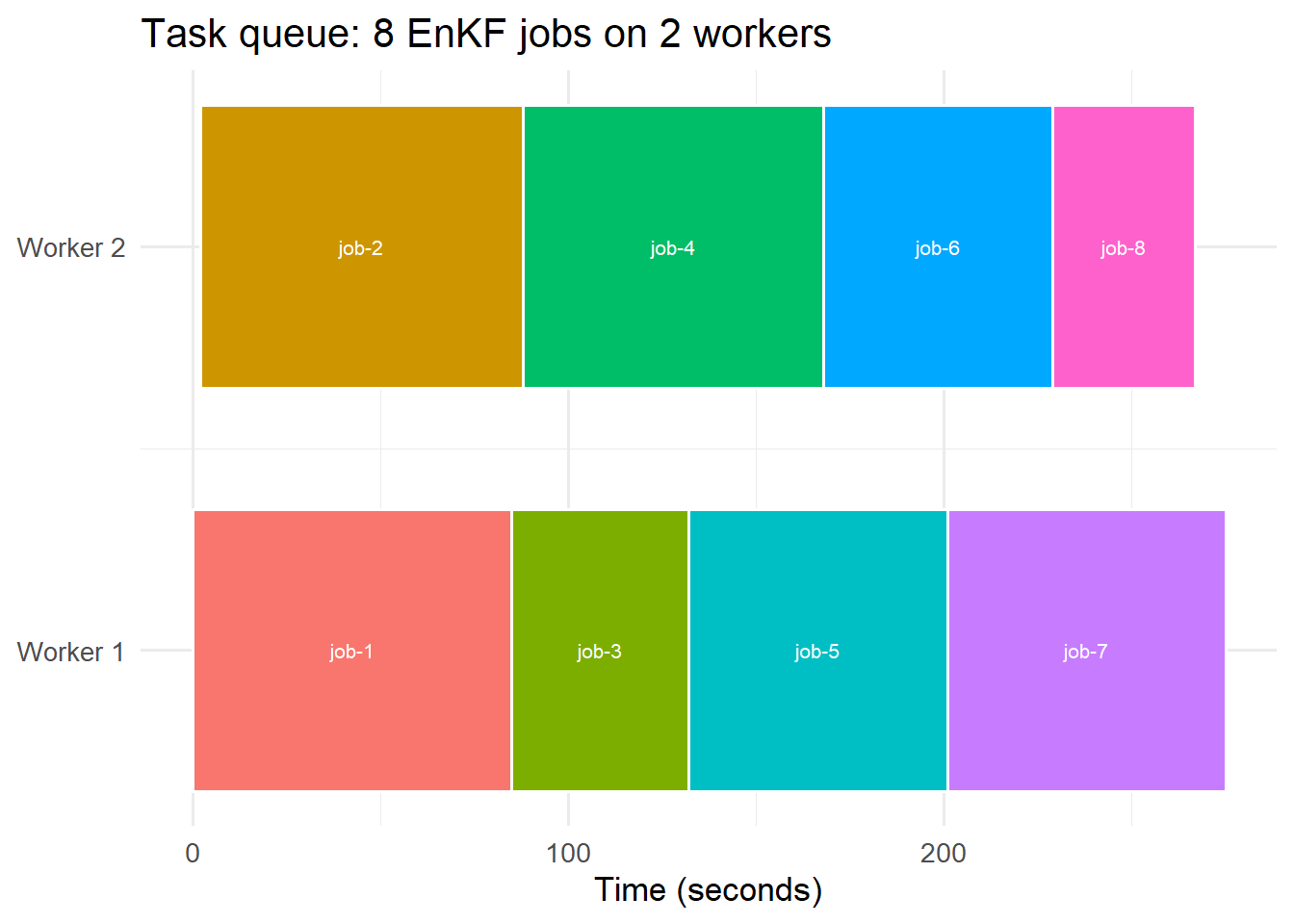
Gantt chart of 8 simulation jobs across 2 workers. Jobs submitted simultaneously queue and are dispatched as workers become free — no HTTP timeouts, no blocked threads.
5 R parallel alternative with callr
For a simpler setup without Redis, callr(2) runs R scripts in background processes:
library(callr)# Submit job as background R processbg <-r_bg(func =function(obs, location_id) {source("run_enkf.R")run_enkf(obs, location_id) },args =list(obs = my_obs, location_id ="district_a"))# Check if done (non-blocking)if (bg$is_alive()) {cat("Still running\n")} else { result <- bg$get_result()}
This is appropriate for single-server deployments. Use Celery + Redis when you need multiple workers or the ability to scale horizontally.
6 Job queue best practices
Set timeouts: kill jobs that run longer than expected — a hung EnKF should not block a worker forever
Retry on failure: transient failures (DB connection reset) should retry; persistent failures should not
Priority queues: urgent public health requests should skip past routine daily runs
Dead letter queue: failed jobs land here for manual inspection rather than silently disappearing