Database Schema Migrations for Production TimescaleDB
Your schema will evolve. Alembic and disciplined migration scripts make schema changes safe, reviewable, and reversible. Skill 18 of 20.
business skills
database
migrations
Alembic
PostgreSQL
DevOps
Author
Jong-Hoon Kim
Published
April 24, 2026
1 The schema evolution problem
Your digital twin has been running in production for two months. You want to add a severity_level column to the model_states table — a field that did not exist when the schema was designed. How do you:
Add the column to the production database without downtime?
Ensure your staging environment matches production?
Roll back if something goes wrong?
Communicate the change to teammates who run their own local databases?
Manual ALTER TABLE statements run in the console answer question 1 but fail questions 2–4. Database migrations(1,2) are versioned, executable scripts that transform the schema from state A to state B — and, critically, back again.
2 Alembic: the Python migration tool
Alembic is the standard migration library for SQLAlchemy-based Python projects (FastAPI, Django). It generates migration scripts that:
Track the current database revision
Apply pending migrations in order
Reverse them on rollback
# Initialise Alembic in your projectalembic init migrations# Auto-generate a migration from model changesalembic revision --autogenerate-m"add severity level to model states"# Apply all pending migrationsalembic upgrade head# Roll back one stepalembic downgrade -1# Show current revisionalembic current
3 A migration script
Alembic generates this file; you review and edit it:
# migrations/versions/a1b2c3_add_severity_level.py"""add severity level to model statesRevision ID: a1b2c3d4e5f6Revises: 9f8e7d6c5b4aCreate Date: 2024-04-15 09:00:00"""from alembic import opimport sqlalchemy as sadef upgrade():"""Add severity_level column with default NULL.""" op.add_column("model_states", sa.Column("severity_level", sa.String(16), nullable=True) )# Backfill existing rows with a computed value op.execute(""" UPDATE model_states SET severity_level = CASE WHEN I_median > 1000 THEN 'high' WHEN I_median > 200 THEN 'medium' ELSE 'low' END """)# Now make NOT NULL after backfill op.alter_column("model_states", "severity_level", nullable=False)def downgrade():"""Remove the column — data is lost.""" op.drop_column("model_states", "severity_level")
4 Migration safety rules
library(ggplot2)rules <-data.frame(Rule =c("Always write a downgrade() function","Backfill before adding NOT NULL constraints","Never rename a column (add new + copy + drop old)","Test on a copy of prod data before applying","Apply migrations before deploying new code","Store migration scripts in version control","Never edit a migration that has been applied to prod" ),Category =c("Rollback","Safety","Compatibility","Testing","Deployment","Process","Integrity"),Risk =c("High","High","High","Medium","High","Medium","Critical"))knitr::kable(rules[, c("Rule","Category","Risk")],caption ="Database migration safety rules")
Database migration safety rules
Rule
Category
Risk
Always write a downgrade() function
Rollback
High
Backfill before adding NOT NULL constraints
Safety
High
Never rename a column (add new + copy + drop old)
Compatibility
High
Test on a copy of prod data before applying
Testing
Medium
Apply migrations before deploying new code
Deployment
High
Store migration scripts in version control
Process
Medium
Never edit a migration that has been applied to prod
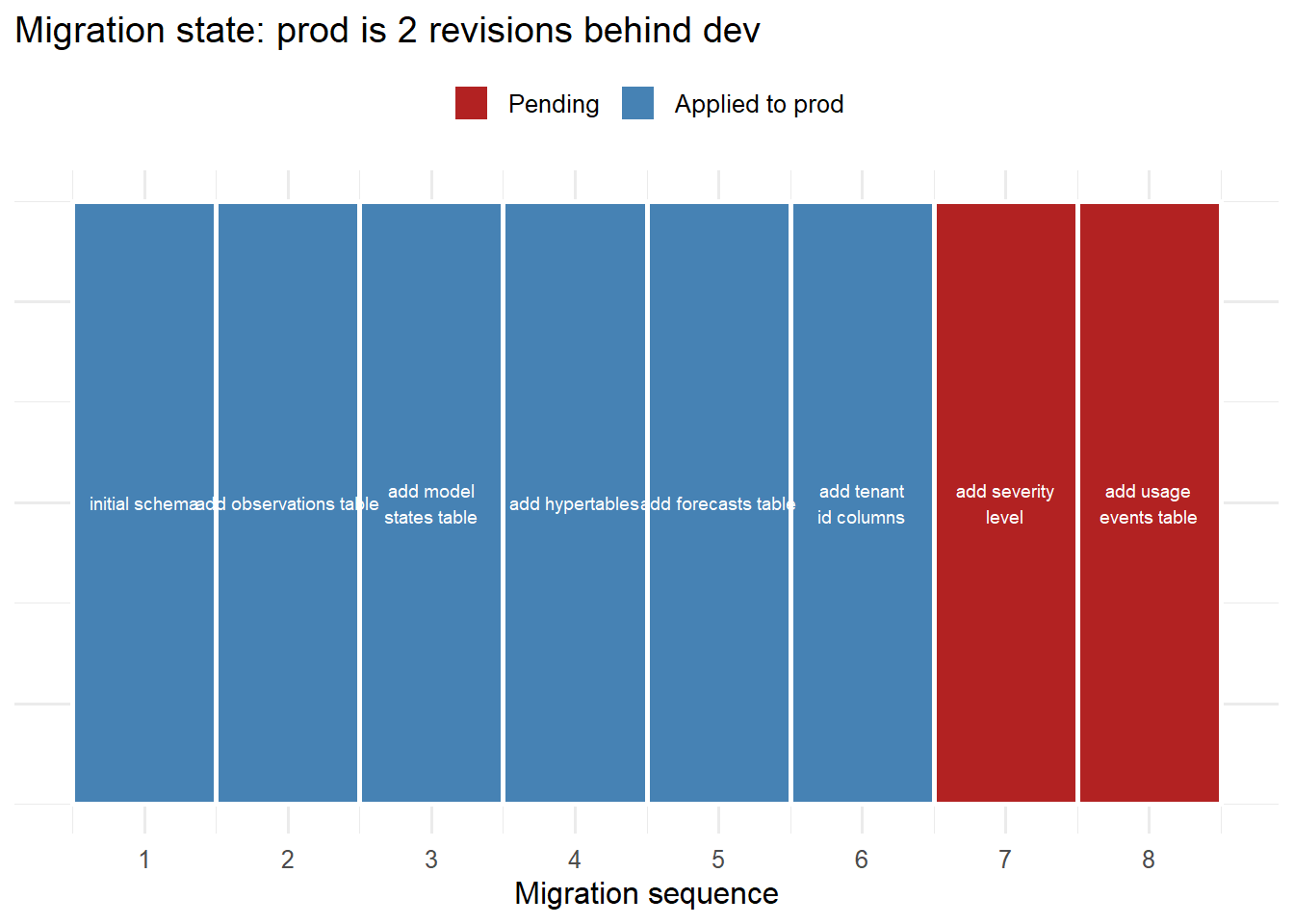
Migration history: each revision builds on the previous one, forming a linear chain. Alembic tracks which revision each environment is on. When dev is ahead of prod, the next deployment applies the gap.
6 Zero-downtime migrations
For tables with millions of rows (TimescaleDB hypertables), a naive ADD COLUMN NOT NULL locks the table and causes downtime. The safe sequence:
-- Step 1 (deploy immediately, no lock): add nullable column with defaultALTERTABLE model_statesADDCOLUMN severity_level TEXT DEFAULTNULL;-- Step 2 (background job, hours): backfill existing rows in small batchesUPDATE model_statesSET severity_level ='medium'WHERE severity_level ISNULLLIMIT10000; -- repeat until done-- Step 3 (deploy next version): add NOT NULL constraint after all rows are filledALTERTABLE model_statesALTERCOLUMN severity_level SETNOTNULL;
Each step is a separate migration file. The deployment is spread across multiple releases — each release is safe independently.
7 The CI/CD integration
Add migration tests to your GitHub Actions workflow:
-name: Run database migrations run: | alembic upgrade head python -m pytest tests/test_migrations.py
The test file verifies that the schema matches the SQLAlchemy models after migration, catching drift before it reaches production.
8 References
1.
SQLAlchemy Project. Alembic: Database migration tool for SQLAlchemy [Internet]. 2010. Available from: https://alembic.sqlalchemy.org
2.
Humble J, Farley D. Continuous delivery. Boston, MA: Addison-Wesley; 2010.